
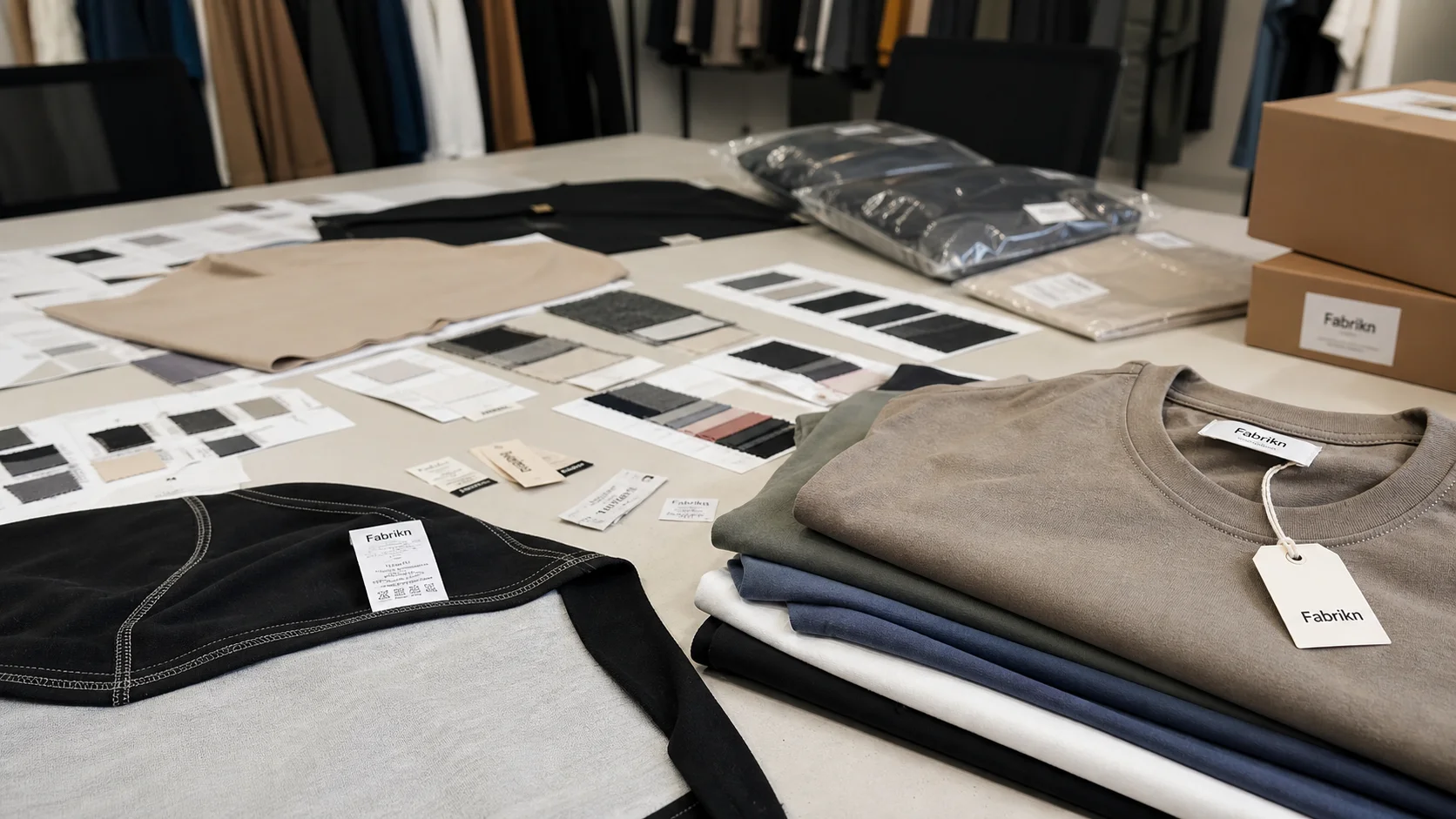
File Type for Custom Tshirt Printing compared by sample evidence, fabric or trim specs, MOQ, AQL terms, cost lines, delivery timing, and rework responsibility.
Fast answer: File Type for Custom Tshirt Printing: Sample Fit, Trim, AQL, and Delivery Risk should be judged by production evidence, not by a generic sourcing promise. The buyer needs sample proof, cost breakdowns, QC checkpoints, and delivery buffers in writing.
Ask for recent sample photos, measurement tolerances, fabric or print test assumptions, decoration test notes, packing examples, and a named inspection checkpoint. These details show whether the team can repeat an approved sample at bulk volume.
Separate garment cost, decoration, labels, packaging, sampling, testing, freight, and rush charges. Clear cost lines make it easier to reduce colorways, adjust size depth, or reserve more time for sampling.
If you are preparing artwork for custom t-shirt printing, choosing the right file type is one of the most important steps in the process. The file format you submit can affect print quality, color accuracy, sizing, and even whether the production team can use your design without extra edits. In custom apparel manufacturing, the wrong file can lead to blurry prints, unexpected color shifts, missing elements, and delays.
For brands, teams, event organizers, and businesses ordering printed apparel, understanding what file type works best for custom t-shirt printing can save time and money. It also helps ensure your final product looks professional and consistent across every garment. Whether you are printing a one-color logo, a detailed illustration, or a full-color graphic, the file you provide should match the printing method and production requirements.
In this guide, we will explain the best file formats for custom t-shirt printing, how to prepare your artwork properly, which mistakes to avoid, and when to work with a professional manufacturer like Fabrikn. If you need support with apparel production or artwork preparation, you can also explore our services, learn more about us, or contact us for custom project help.
Not every image file is suitable for production. A file that looks good on a screen may fail when enlarged, separated into colors, or converted into a print-ready format. T-shirt printing is highly dependent on resolution, transparency, color mode, and the type of artwork being produced.
The file type matters because it determines how the design is stored. Some formats are based on pixels, which can become blurry when enlarged. Others are vector-based, which means they can scale cleanly without loss of quality. Some file types support transparent backgrounds, while others do not. Some are ideal for photographic prints, while others are better for logos and text.
In other words, the best file type depends on both your design and the printing technique being used. A professional print shop or garment manufacturer will usually prefer certain formats because they reduce editing time and help ensure accurate results.
Adobe Illustrator files (.ai) and Encapsulated PostScript files (.eps) are among the best choices for custom t-shirt printing, especially for logos, text, and vector artwork. These formats are resolution-independent, meaning they can be scaled up or down without becoming blurry.
Vector files are ideal when the design includes sharp lines, simple shapes, or brand marks. They are commonly used for screen printing, embroidery digitizing, and other production methods that require clean edges and easy color separation.
If you are sending a logo or brand identity artwork, AI or EPS is often the preferred option. These files also help manufacturers make precise adjustments if needed.
High-resolution PDF files can be excellent for t-shirt printing, especially if they were created from vector artwork or exported properly from design software. PDFs are widely accepted because they can preserve fonts, images, and layout elements in one file.
When prepared correctly, a PDF can be a dependable print-ready format. However, not every PDF is equal. A low-resolution PDF exported from a web image will not print well. The file should contain high-quality artwork, the correct color mode, and any fonts outlined or embedded if necessary.
PDFs are often a practical choice when you want to send a complete artwork file with multiple design elements.
PNG files are popular for apparel design because they support transparent backgrounds and can handle clean edges better than JPG files. They are especially useful for direct-to-garment printing and designs that need transparency around the artwork.
PNG is a pixel-based format, so resolution matters. A PNG can look sharp if it is large enough and created at a high resolution. It is a good option for colorful artwork, web graphics, and some print applications, but it may not be the best choice for scaling or edits compared to vector files.
If you need a transparent background, PNG is usually better than JPG.
TIFF files are another high-quality raster format that can be used for printing. They are often favored for detailed artwork and photography because they preserve image data well and can support high resolution.
TIFF files are larger than other formats, but they are reliable when the design requires fine detail and color depth. Some printers prefer TIFF for photographic prints or complex graphics, especially in workflows that involve high-end printing.
Photoshop files (.psd) can be useful when a design is still being edited and contains multiple layers. They are helpful for internal design work, but they are not always the best final delivery format for every printer.
If you send a PSD, make sure the layers are organized, fonts are handled properly, and all linked assets are included. Many manufacturers will request a flattened PDF, EPS, or AI file for production to prevent issues with missing elements or compatibility.
JPG files are common, but they are usually not the best choice for custom t-shirt printing unless no other option is available. JPGs are compressed and do not support transparency. Compression can introduce artifacts, especially around text or sharp edges.
That said, a high-resolution JPG may work for certain photo-based prints if the image is large enough and has been saved at good quality. Still, if you can provide PNG, PDF, AI, or EPS instead, that is usually better.
The best file type for custom t-shirt printing depends on the kind of design you have.
For logos, text, and simple graphics: Use AI, EPS, or vector PDF.
For full-color artwork with transparency: Use PNG, high-resolution PDF, or TIFF.
For photographic prints: Use high-resolution JPG, TIFF, or print-ready PDF.
For layered design files: Use PSD during development, then export a print-ready PDF or AI file for production.
If you are unsure, vector files are usually the safest starting point for apparel production. They are flexible, easy to adjust, and suitable for many printing methods. If your design is a photo or highly detailed image, then a high-resolution raster file may be more appropriate.
For businesses ordering in bulk, file consistency is especially important. When designing uniforms, promotional shirts, or retail merchandise, the artwork must remain sharp across different shirt sizes and colorways. A format that works well for one design may not work for another, so always match the file type to the artwork and printing method.
For raster artwork, resolution is critical. Print artwork should generally be created at 300 DPI at the final print size. Low-resolution files may appear fine on screen but print blurry or pixelated on fabric.
If your design is meant to be printed larger, make sure the resolution still holds at that size. A tiny image stretched to fill the chest of a shirt will not deliver a professional result.
Most print production workflows prefer CMYK or spot color formats, depending on the technique. However, some apparel printers also accept RGB files for direct-to-garment printing and then convert them during production. The key is to confirm with the manufacturer before sending your file.
Color appearance can vary between screen and print, so it is helpful to use Pantone colors or provide brand color references when exact matching matters.
If your file includes text, make sure all fonts are outlined or embedded. This prevents font substitution issues when the file is opened on another system. If fonts are not handled correctly, the printed result may look different from the original design.
Outlined text is especially important for vector artwork, logos, and branded merchandise.
If your design needs a transparent background, check carefully before submitting the file. White boxes around graphics are a common issue when the file type does not support transparency or the background was not removed properly.
PNG files and vector formats are often best for transparency. Always preview the artwork against different shirt colors to make sure it looks correct.
Garment printing is affected by the shape and size of the shirt. A design may look centered on screen but sit too high or too low on the actual garment if placement is not considered. Be sure your artwork is set up to match the intended print dimensions.
For example, a left chest logo should be sized and positioned differently from a full front graphic. If you are producing multiple styles, create separate files or layout versions for each print location.
Always keep an editable master file and export a separate print-ready version. This protects your original work and gives the manufacturer a file that is ready for production without additional edits.
A good workflow is to keep a layered master file in AI or PSD and provide a final export in PDF, EPS, or PNG depending on the job.
One of the most common mistakes is submitting a logo copied from a website. Web graphics are often low resolution and not suitable for printing. Even if the image looks acceptable on a laptop, it can become blurred or jagged when enlarged onto a shirt.
Always use the original design file whenever possible.
A file may technically be high resolution but still too small for the intended print area. If the artwork was created at a tiny size, enlarging it later can reduce quality. Make sure your file dimensions match the actual print dimensions from the beginning.
Many artwork problems are caused by unexpected backgrounds. This often happens with JPG files or improperly saved PNGs. If your design is meant to float on the shirt, the background should be transparent and the file should be checked before submission.
If fonts are not outlined, the printer may not have access to the correct typeface. This can result in a substituted font or layout shifts. For brand materials, this is especially damaging because it can make the printed product look unprofessional.
Compressed files may be convenient for email, but they can create problems in production if too much image quality is lost. Avoid saving and re-saving JPGs repeatedly, and avoid low-quality exports just to make the file smaller.
Different printing methods and manufacturers have different file requirements. A file that works for one print method may need adjustments for another. Before finalizing your artwork, confirm the preferred format with your supplier.
Screen printing works especially well with vector files such as AI, EPS, and PDF. Because this method often requires color separation, clean artwork is essential. Designs with bold shapes, spot colors, and limited palettes are usually ideal.
DTG printing is more flexible with file types and often accepts PNG, PSD, TIFF, or high-resolution PDF files. Because DTG can print full-color images directly, it is popular for detailed designs, gradients, and small-batch runs. Still, resolution and transparency remain important.
Heat transfer and digital transfer methods can use several file types, but high-quality PDFs, PNGs, and vector files are often preferred. The design must be sharp and correctly sized because the transfer process reproduces the artwork as supplied.
Embroidery does not use the artwork file in the same way printing does, but vector files are often the best starting point for digitizing. Simple logos and clean shapes convert more easily into stitch files.
If you are producing custom apparel at scale, the file type is only one part of the process. A reliable manufacturer can help you review artwork, adjust for print compatibility, and confirm the best production method for your garments. This reduces errors and improves turnaround times.
At Fabrikn, we work with businesses that need dependable custom clothing production. Whether you are launching merch, outfitting staff, or building a retail collection, we can help guide the artwork process and support your manufacturing needs. If you want to discuss a project or ask about file preparation, visit our contact us page.
Choosing the right file type is easier when you understand the end use of your apparel. For example, a streetwear brand may need print-ready vector files for a full collection, while a corporate client may only need a simple logo exported for a uniform order. Good communication between the client and manufacturer helps avoid costly revisions and keeps production moving smoothly.
It is also worth preparing multiple file versions. For instance, you might keep a vector master file for scaling, a transparent PNG for quick previews, and a print-ready PDF for production. This gives your team and manufacturer the flexibility to work efficiently.
The best file type for custom t-shirt printing depends on your design, resolution needs, and printing method. In most cases, vector formats such as AI, EPS, and PDF are ideal for logos and clean graphics, while PNG, TIFF, and high-resolution JPG files are better for photo-based or full-color artwork. The key is to submit artwork that is sharp, properly sized, and ready for production.
By using the right file format and avoiding common mistakes, you can improve print quality, reduce delays, and ensure your custom shirts look exactly the way you intended. If you are planning a custom apparel project and want expert support from concept to production, Fabrikn is here to help. Learn more about our services, explore our company on the about us page, or reach out through our contact page.
Get a free quote from Fabrikn — your trusted B2B clothing manufacturer with 10+ years of experience. MOQ as low as 200 pieces.
Get a Free Quote →The best file type is usually AI, EPS, or vector PDF for logos and simple graphics. For photo-based or transparent designs, PNG or high-resolution PDF may be better.
Yes, but only if it is high resolution. JPGs are compressed and do not support transparency, so they are generally less ideal than PNG, PDF, or vector formats.
Yes. PNG files are useful because they support transparent backgrounds and can work well for many print designs, especially when saved at high resolution.
A good target is 300 DPI at the final print size for raster images. This helps ensure the artwork prints clearly and sharply.
Both can be useful. Keep your editable master file, but always send a print-ready version such as PDF, EPS, or AI so the manufacturer can start production efficiently.
Blurry prints usually happen when the artwork is low resolution, too small for the intended print size, or exported from a web image instead of an original design file.
No. Screen printing often prefers vector files, while DTG and transfer printing can use PNG, TIFF, PSD, or PDF depending on the artwork.
Send the highest-quality original file you have and ask the manufacturer to review it. A professional apparel partner can recommend the best format for your printing method and design.